
Why Your Kenmore Washer Won't Fill With Water
Troubleshooting your Kenmore washer's water filling issues with simple steps.
Troubleshooting Your Kenmore Washer: Not Filling with Water?
Is your Kenmore washer refusing to fill up with water? You're not alone! Many homeowners in Decatur, Stone Mountain, Lithonia, Tucker, and Conyers experience this issue at one time or another. Fortunately, there are several practical troubleshooting steps you can try before calling a professional.
Check the Water Supply
Before diving into more complex solutions, ensure that your water supply is functioning correctly. Here’s what to check:
- Valves: Make sure the water valves at the back of your washer are fully open. Sometimes, they can be accidentally turned off.
- Hoses: Inspect the water hoses for any kinks or blockages. A kinked hose can restrict water flow, preventing your washer from filling up.
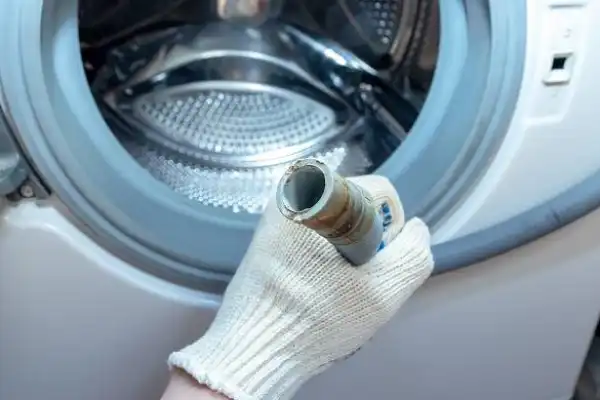
- Filters: Some models have inlet filters that can get clogged. Disconnect the hoses from the washer and check for any debris or buildup inside the filters.
Examine the Lid Switch
Your washer’s lid switch plays a crucial role in ensuring that it only fills with water when the lid is closed. Here’s how to check it:
1. Test the Switch: Open and close the lid while listening for a click sound. If it’s not making a sound, the switch may be faulty.
2. Inspect for Damage: Look for any visible damage to the switch or its wiring. If you notice wear and tear, it might be time to replace it.
3. Multimeter Test: If you have a multimeter, test the switch for continuity. If there’s no continuity, you’ll need to replace it.
Check the Water Level Sensor
If the water level sensor is malfunctioning, it may not signal the washer to fill. Here's how to troubleshoot it:
- Location: Consult your user manual to locate the water level sensor.
- Examine Connections: Check the wiring and hose connections for any damage or leaks.
- Test with Multimeter: Similar to the lid switch, you can test the water level sensor with a multimeter for proper function.
Look for Error Codes
Many modern Kenmore washers have a display that shows error codes. If your washer is equipped with one, check for any error messages. Refer to your user manual to decode these messages, which can provide valuable clues about what’s wrong.
Reset the Washer
Sometimes, a simple reset can solve the problem. Here’s how you can do this:
1. Unplug the Washer: Disconnect it from the power source.
2. Wait for a Minute: Give it some time to reset.
3. Plug It Back In: Reconnect and attempt to start a wash cycle to see if the issue is resolved.
Professional Help
If you've gone through these steps and your Kenmore washer still won't fill with water, it may be time to call in the professionals. Issues like a malfunctioning control board or a broken water inlet valve could require specialized tools and expertise to repair.
Residents of Decatur and surrounding areas can rely on Decatur Solution Works for quick and reliable appliance repair services. Just give us a call at 678-525-0474 for same-day service!
Conclusion
Experiencing issues with your Kenmore washer not filling with water can be frustrating, but with these troubleshooting steps, you may be able to fix it on your own. Remember to check your water supply, inspect the lid switch and sensor, and look for error codes before reaching out to a professional. If all else fails, Decatur Solution Works is here to help you get back to laundry day without any hassles!
For any appliance repair needs in Decatur, Stone Mountain, Lithonia, Tucker, or Conyers, don’t hesitate to contact us today for fast and friendly assistance!